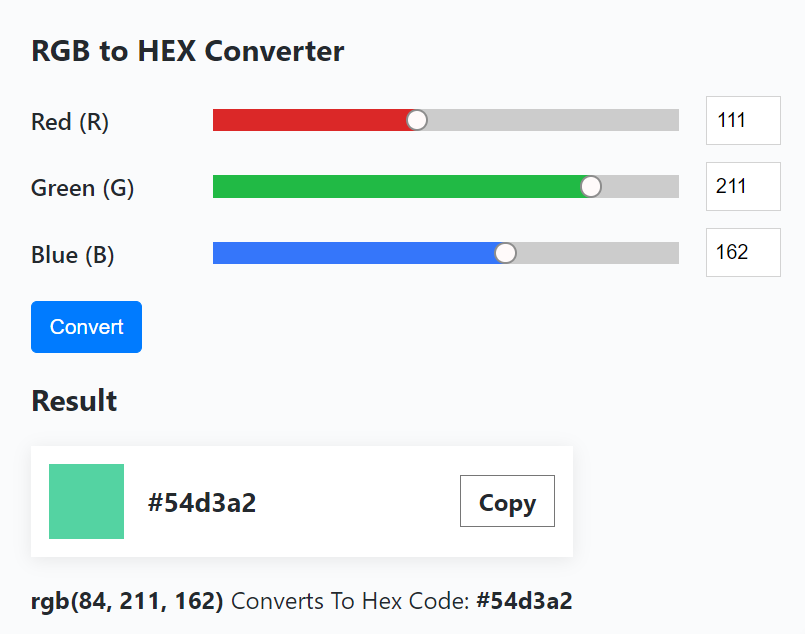
RGB to HEX is a free online tool that takes input in the form of color values for Red, Green, and Blue ranging from 0 to 255 and then changes them to a hexadecimal string. It is used to specify color in HTML or CSS code.
This type of conversion is useful in web design, graphic design, and other digital applications where HEX color codes are necessary for precision in coding purposes.
RGB refers to a method of expressing colors from red, green, and blue. These colors are combined in various proportions to get the required color in the visible spectrum. The RGB model assigns 8 bits to each color. These colors can have a value from 0 to 255. This allows for the creation of 16,777,216 number of unique color combinations.
A HEX color code is a six-character combination of numbers and letters that signifies the levels of red, green, and blue (RGB) in a color. It is a useful way to describe RGB values with a bit of conversion involved. The HEX color format helps in defining precise colors and is written as #RRGGBB where:
RR indicates how intense the red is (ranging from 00 to FF).
GG shows the saturation of green (also from 00 to FF).
BB represents the blue strength (again from 00 to FF).
Navigate our site and follow the below guidelines to use our free online RGB to HEX tool.
Position the scrollbars to fix your Red, Green, and Blue values (0 to 255).
Hit the Convert key to turn your RGB values into HEX code.
The HEX color code will appear in the results section along with a preview showing both the original RGB color and the new HEX color side by side. So you can check the conversion accuracy.
Press the Copy button to save the HEX code to your clipboard.
You can easily adjust the RGB values and recalculate to get a new HEX code.
It is crucial to choose the right color format when working on different platforms. RGB is a good option for screens while HEX is essential for web design.
Color Display
RGB is used for digital screens and can make more vibrant colors while HEX helps in web design to ensure proper color representation in code.
File Space
Using HEX in web design helps minimize file sizes because it is more concise in comparison to saving RGB values.
Professional Guidelines
HEX ensures your projects follow web benchmarks which are crucial for reliable and proper results over browsers and devices.
Aspect | RGB | HEX |
Definition | Red, Green, Blue | Hexadecimal representation |
Color Model | Additive (mixes light) | Numerical color code |
Use | Digital Screens | Web Design (HTML or CSS) |
Conversion | Requires conversion for web | Ready to use in code |
Black | Absence of light | All inks combined with black |
Professionals | Designers for screens | Web designers and developers |
File Size | Lager | Smaller |
Simple and free to use.
Fast and accurate color conversion.
Let you compare RGB and HEX colors side by side.
No need for expensive software.
Ensures your color codes are ready for web projects.
Helps reduce file size for faster website loading.
1. Recheck your RGB values to make sure the color is what you want.
2. Always preview the converted color to see how it looks in both formats.
3. Calibrate your screen to ensure the colors match what you see on other devices for precision.
What library is used for the RGB Color to HEX conversion?
Our conversion tool uses the colorsys library for reliable color transformations. It ensures precise color results for your design requirements.
Is this tool free to use?
Yes, it is completely free.
Can I preview the converted color?
Yes, you can see both the RGB and HEX colors side by side in the results.
How accurate is the conversion?
We use precise algorithms to ensure the proper color conversions possible.
Can I convert HEX back to RGB?
You can use our HEX to RGB Converter for reverse conversion.